 ilovethesmiths
TEMPLATE & PHOTO GUIDE
I Love the Smiths Template
See the elevator scene, check which photo goes in each role, and find the right workflow for your photos or clips.
What changed — Added a scene reference, photo-role guide and a comparison of AI photo templates with clip-editing templates.
The Short Answer
An I Love the Smiths template recreates the elevator encounter with a headphone listener and a person who starts the conversation. An AI photo template generates the scene from portraits; a CapCut editing template arranges the photos or clips its creator specifies.
This site’s template is designed for two portraits of consenting adults: Photo 1 is the listener on the left, and Photo 2 is the speaker on the right. It uses a fixed scene. Generation uses paid credits; the original song recording is not included, and faces, dialogue and movement can vary.
Template Guide Updates
- Prepared the initial English template guide with a labeled scene reference, two photo roles, workflow choices and links to current pricing and the full tutorial.
Preview the I Love the Smiths Elevator Template
Start with the scene, then choose your cast. A listener wears headphones, the speaker starts the conversation, and the encounter ends with the speaker leaving the elevator.
The elevator encounter
- Your input
- Two separate portraits, one consenting adult in each photo.
- The roles
- Photo 1 listens on the left. Photo 2 speaks on the right.
- The scene
- One fixed elevator encounter; no custom prompt or reference upload needed.
- Video length
- 15 seconds. Review the available resolution and aspect ratio in the generator.
Paid credits · Final confirmation before generation · Results can vary
Check the photo rolesWhich I Love the Smiths Meme Template Do You Need?
Choose by the material you already have. A photo-to-video scene, a clip-editing template and a movie reference are different starting points.
| What you have | What you want | Where to start |
|---|---|---|
| Two portraits | Generate a new elevator encounter with your cast. | Use the AI photo template |
| Recorded clips or an existing edit | Arrange your media into an editing template. | Inspect the CapCut example |
| A question about the original scene | Watch a reference or understand the movie moment. | Read the scene background |
The linked CapCut card was checked on November 12, 2026: it requests 6 clips at 1:1. It is one editing-template example, not a verified two-portrait AI workflow. Other cards may have different requirements or availability.
This page does not provide a blank movie download or an image-meme editor.
Two Photo Roles, One Elevator Scene
Assign roles by the action each person takes, not by gender. Use a separate, clear portrait for each role.
The headphone listener
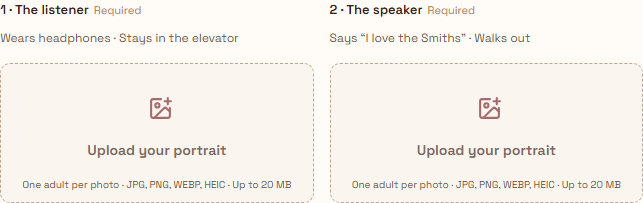
Photo 1 · Left side
This person listens, reacts to the speaker and stays in the elevator. The scene requests headphones; you do not need to wear them in the source photo.
The person who speaks
Photo 2 · Right side
This person starts the conversation, repeats the line and leaves. Put the portrait of the person you want speaking in the second slot.
- One adult per photo, with permission for AI processing.
- Use an unobstructed face and even lighting; avoid group shots, heavy filters and sunglasses.
- To reverse the roles, replace the images in the opposite slots before confirming generation.
Couple and Friend Ideas for the Same Template
Both ideas use the same elevator scene. Changing the photos changes the cast; it does not select a different story, ending or dialogue.
A shared-music moment with your partner
Choose who wears the headphones and who starts the conversation. Use two individual portraits rather than assuming one couple photo will fill both roles.
The friend who knows your playlist
Cast two friends in the same listener-and-speaker setup. Get their permission first, and check both faces and the generated audio before sharing.
How to Use This Template
- Prepare the two portraits. Decide who listens and who speaks, then check each image against the photo guide above.
- Check the generator and cost. Add the portraits in the labeled slots, review output settings and the displayed credit cost, and follow sign-in and purchase prompts if needed.
- Confirm, then review the full result. Buying credits does not start generation. Confirm the final job, follow its status, then check faces, movement and audio before downloading.
Before You Generate
Generation uses paid credits. The configured 15-second video costs:
- 480P: 240 credits
- 720P: 480 credits
- 1080P: 960 credits
Check current credit packs and payment details
Fixed scene
The generator supplies the scene instructions. It is not a prompt editor or a library of different locations and endings.
Paid generation
There is no free personalized preview. Watching the scene reference does not generate a video of you.
Generated sound
The workflow requests English dialogue, elevator ambience and an original melody. The original film audio and The Smiths recording are not added.
Variable results
Faces, role consistency, gestures, words and lip-sync can vary. A reference is not a promise of a frame-for-frame match.
Music, copyright and likeness guidance · Refund and delivery policy
Frequently Asked Questions
Is this an AI template or a CapCut template?
This site provides a two-portrait AI workflow for a new elevator encounter. The linked CapCut example is an external editing template with its own media slots. Check the type before preparing your files.
Can I use two separate photos?
Yes. Prepare one clear portrait for the listener and another for the speaker. The current workflow requires both photos, with one consenting adult in each.
Which photo becomes the listener?
Photo 1 guides the listener on the left, wearing headphones. Photo 2 guides the speaker on the right. Check the previews before confirming; the generated performance can still vary.
Can I use the template with a partner or friend?
Yes, with two adults’ authorized portraits. Couple and friend ideas use the same fixed template, not separate presets.
Can I change the scene or dialogue?
There is no custom-prompt control in this workflow. You choose the portraits and available output settings; the elevator scene instructions are fixed.
Is the template free to use?
You can read the guide and watch the reference without generating a video. Personalized generation uses paid credits and has no free personalized preview. Review the current price before confirming.
Does it include the original song?
No. The original song recording and movie audio are not added. The workflow requests generated dialogue, ambience and an original melody; inspect the sound in your finished result.
Can I download a blank movie clip here?
This page does not offer the original movie clip or a blank movie template for download. It explains a photo-to-video workflow and links to separate editing and scene references.
Sources and Related Guides
Template pages below were reviewed on November 12, 2026 to distinguish workflows. Their descriptions are provider claims, not results from a cross-tool generation test.